When the signal arrives, the conversation continues
A customer asks for a limit increase on WhatsApp. The person who can approve is not in that chat. With External context you pause the execution and continue the same thread when the decision arrives.
A customer asks for a limit increase on WhatsApp. The Agent gathers the background, but the person who can approve is not in that chat: they may be on another team, in another system, or even in another time zone.
The conversation has reached a point where an answer does not exist yet.
If you make the user come back later and ask “did they approve me yet?”, you turned the conversation into a ticket. With External context you can do something else: pause the execution and continue the same thread when the decision arrives.
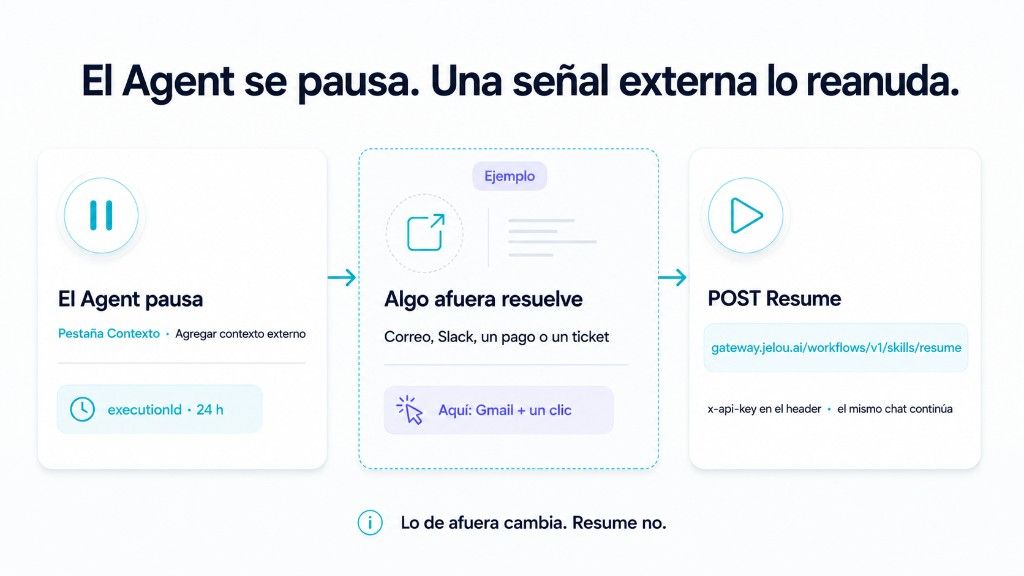
What happens in the middle can change. It might be an approval by email, a Slack message, a confirmed payment, or a ticket being closed. For the Agent, the mechanism is the same.
The conversation can stay paused
On the AI Agent Context tab you will find Add external context. There an interaction can stop without closing the execution.
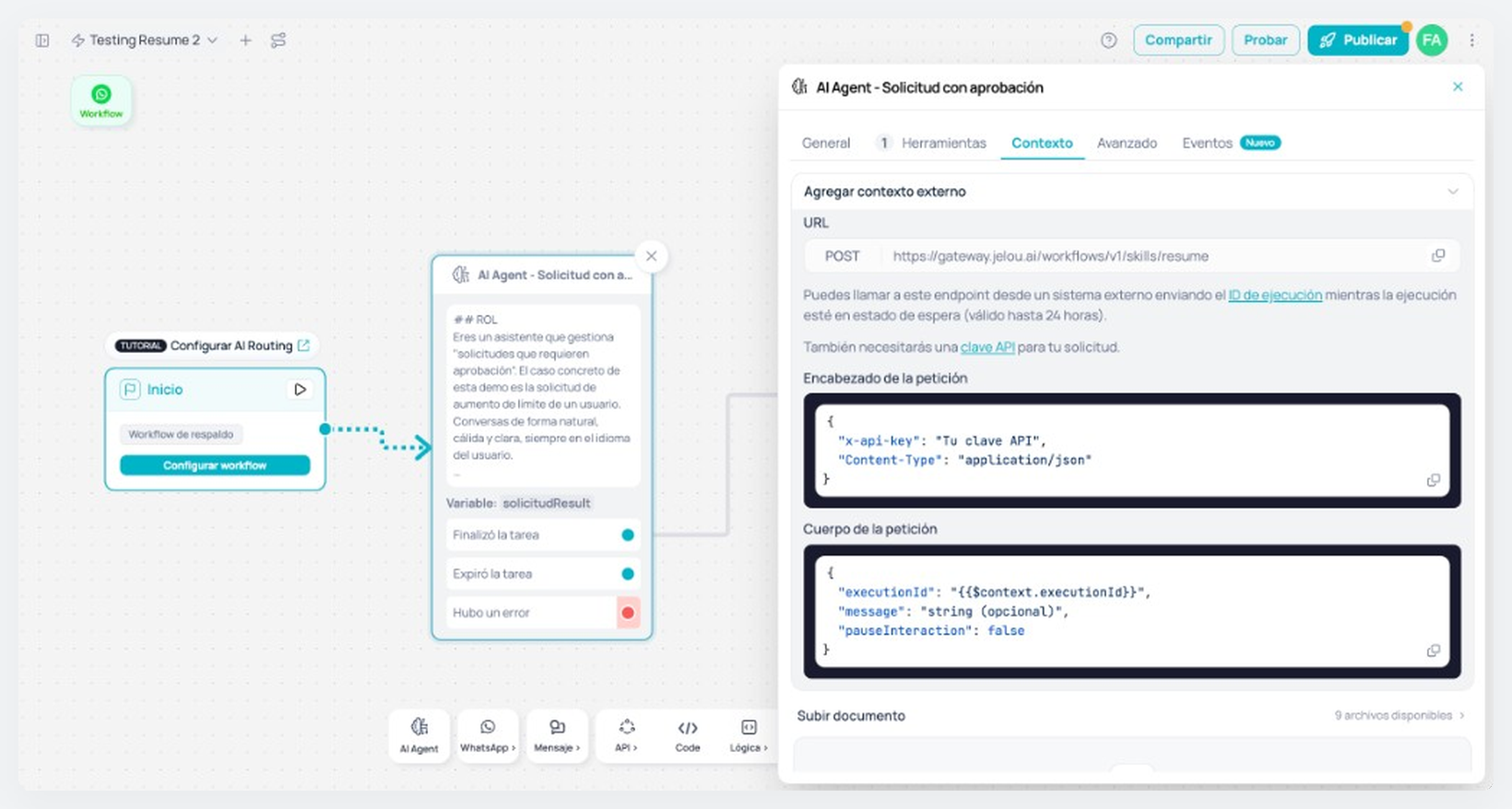
Jelou keeps the executionId for that run. When the external system has an answer, it can use that id to continue exactly that thread.
That lets you split two moments that do not have to happen together:
- the user makes a request;
- something outside resolves it.
The user does not have to keep the chat open or write again for the process to continue.
A paused execution can be resumed for 24 hours. After that, the executionId is no longer available to Resume.
Coming back needs a signal
To continue the execution, the external system makes that POST.
executionId identifies the conversation that was waiting. message hands the Agent the result that just arrived.
The API key must never travel in a link, query param, or email. Anyone who has that key can resume executions.
It does not matter who originates the signal. If they can POST to Resume with the right executionId, they can put the conversation back in motion.
An example: approve from email
Back to the limit increase.
The Agent gathers the request, sends an email to the approver, and pauses the interaction. The email has two actions: Approve and Reject.
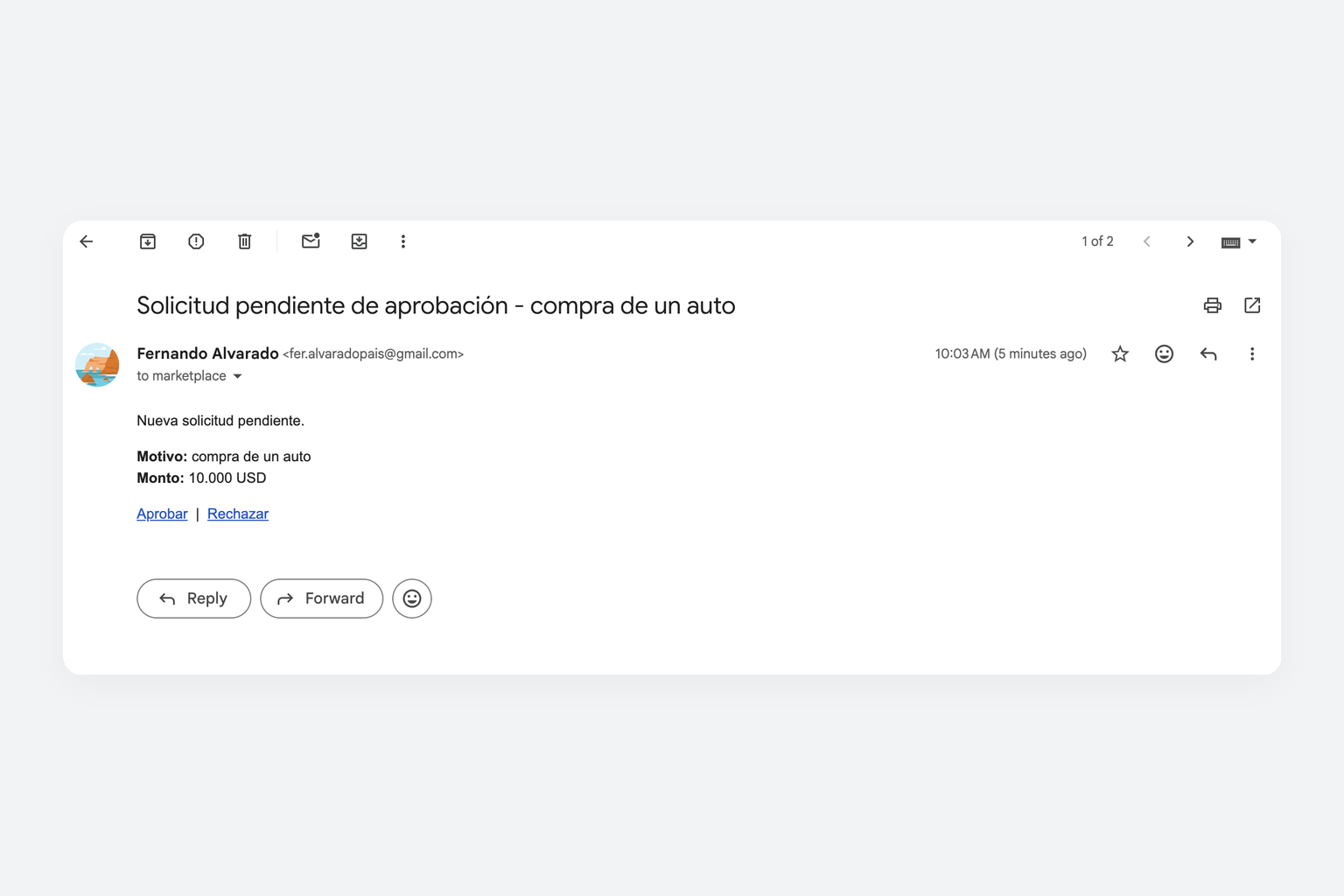
In this example, the click lands on a Function. The Function stores the API key safely and makes the Resume call:
await fetch("https://gateway.jelou.ai/workflows/v1/skills/resume", {
  method: "POST",
  headers: {
    "x-api-key": apiKey,
    "Content-Type": "application/json",
  },
  body: JSON.stringify({
    executionId,
    message: "The request was approved",
    pauseInteraction: false,
  }),
});
The Function is not a required part of the pattern. It is there because an email link must not carry the API key.
If the signal came from a payment gateway, for example, its webhook could make the same POST directly.
The user does not have to come back
When Resume arrives, the Agent receives the result and continues from where it left off.
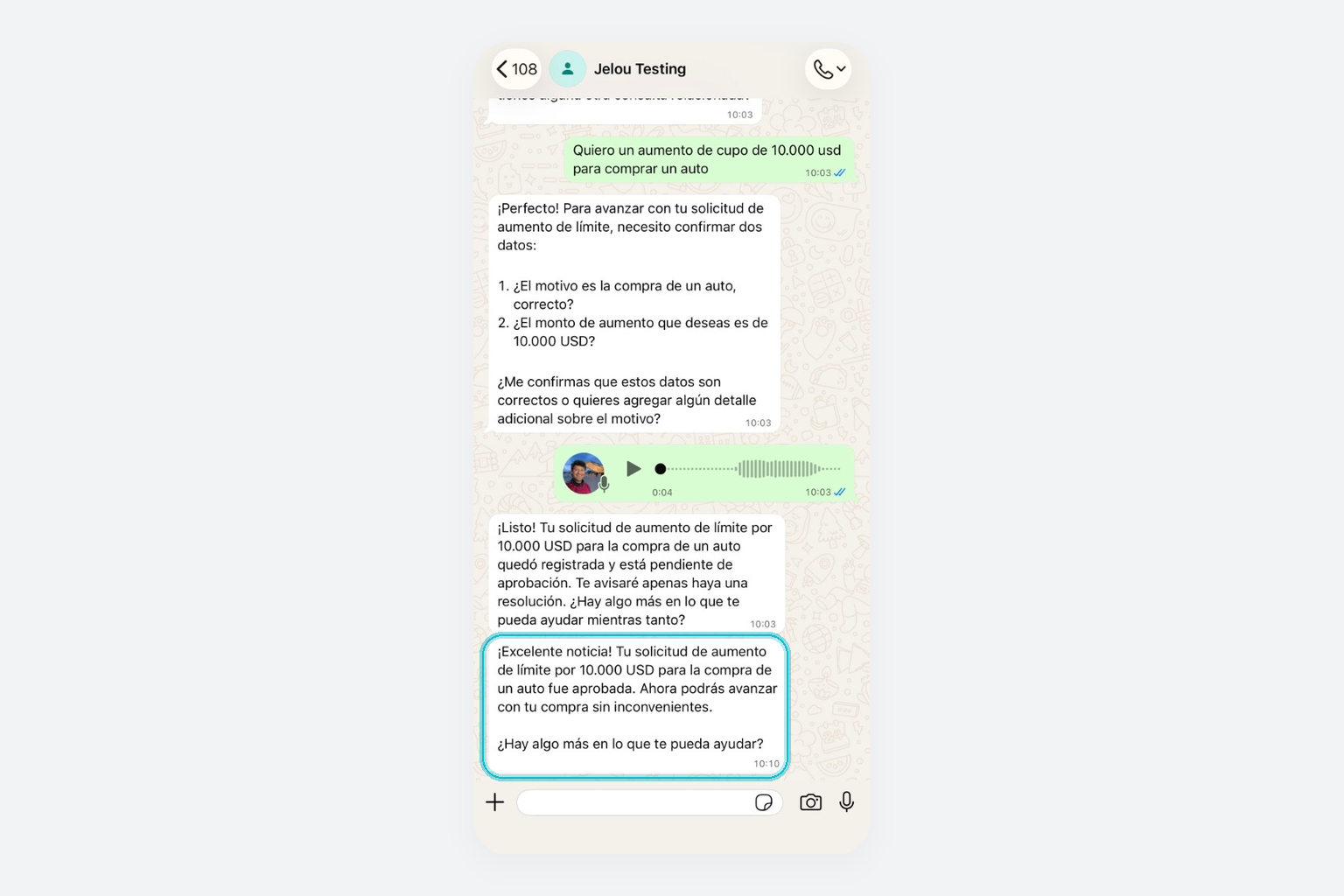
In the example it was email. It could have been Slack, a CRM, an internal approval, a webhook, or a payment confirmation.
The external system changes. The conversation does not need to know: it waits for a signal and, when it arrives, continues.
The user should not have to come back for the process to continue.
Want this example in your Brain?
The pattern is already there. If you want the same loop in your account, it is two pieces: the workflow and the Function.
The workflow: use the template
The template already has the AI Agent from the example (requests that need approval), Gmail to send the email with Approve and Reject, and External context to pause. You install it in your Brain and connect your Gmail account.
The Function: you create it
The click in the email must not carry the API key. That is why the link points to a Function of yours: it receives executionId and decision, and POSTs to Resume. Create it with the Functions quickstart, make it public (a Gmail link does not send a token), and store the API key as a secret.
import { define, z } from "@jelou/functions";

export default define({
  name: "resume-approval",
  description: "Receives Approve or Reject and calls Resume",
  input: z.object({
    executionId: z.string(),
    decision: z.enum(["approved", "rejected"]),
  }),
  config: {
    public: true,
    methods: ["GET"],
    mcp: false,
  },
  handler: async (input, ctx) => {
    const apiKey = ctx.env.get("JELOU_API_KEY");
    await fetch("https://gateway.jelou.ai/workflows/v1/skills/resume", {
      method: "POST",
      headers: {
        "x-api-key": apiKey,
        "Content-Type": "application/json",
      },
      body: JSON.stringify({
        executionId: input.executionId,
        message:
          input.decision === "approved"
            ? "The request was approved"
            : "The request was rejected",
        pauseInteraction: false,
      }),
    });
    return { ok: true };
  },
});Deploy it, put that URL in the email links, and test: WhatsApp asks, the email arrives, Approve, the same thread continues.
Support
Still stuck?
Open it from your account.
How to write to us