Connect your store platform to your AI Agent
In this guide you will learn to connect your store platform to your AI Agent so it answers from your catalog and builds the cart inside the conversation. The example is Shopify; the same pattern works with other store platforms in Brain Studio.
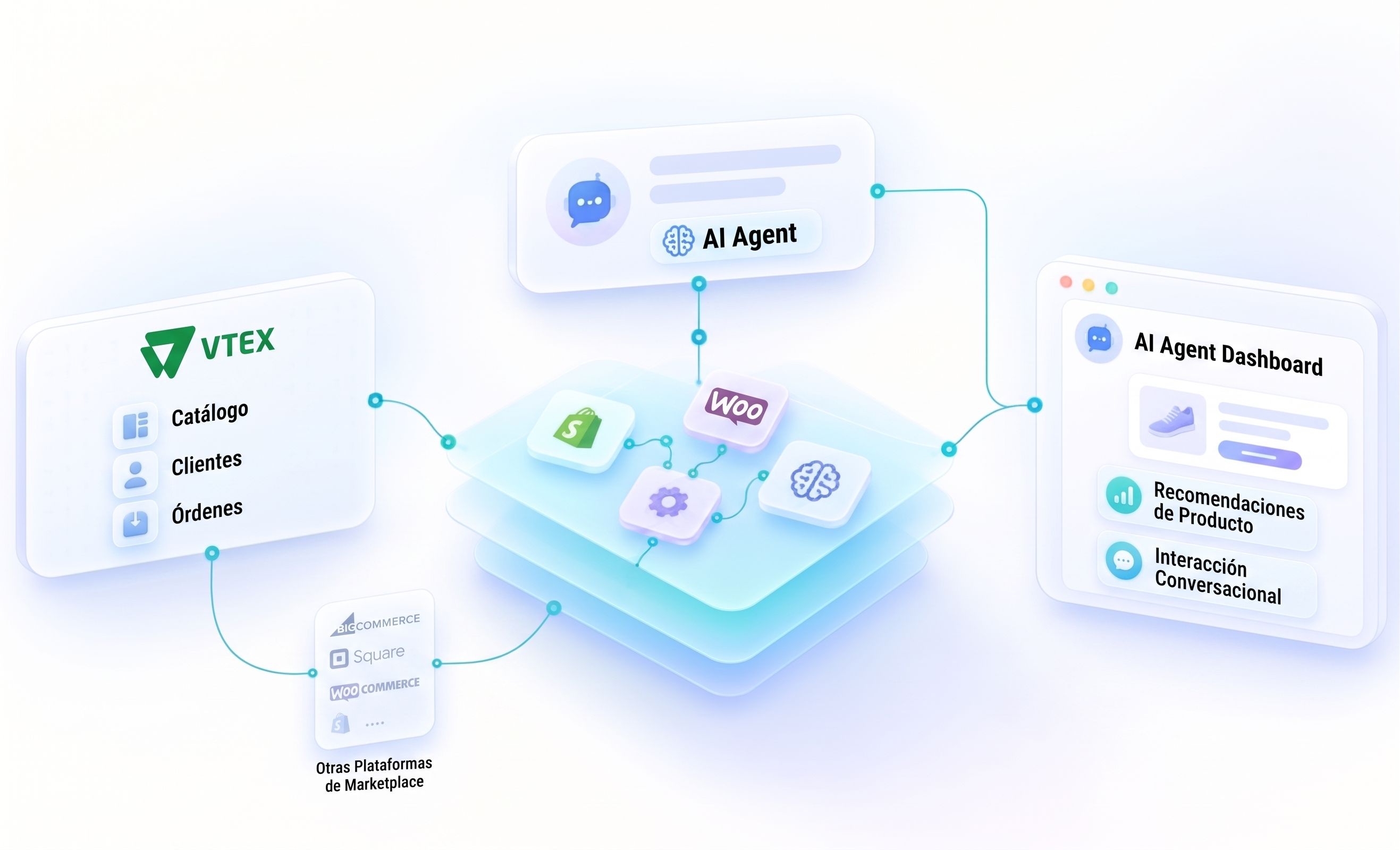
Your AI Agent can't invent a price that doesn't exist. Without a connected store platform, someone on the team checks the catalog by hand before answering, or the customer leaves the chat to look it up. Connecting your store platform closes that gap: the agent queries the real catalog and builds the cart without leaving the conversation.
What this guide covers
This guide covers how to connect a store platform to your AI Agent in Brain Studio: how to install it, how to enable it as a tool for the agent, and how to confirm it answers with real catalog data. The example is Shopify; the mechanics are the same for other store platforms in the Marketplace, such as Woo or VTEX.
Who does what
| Who | What they do |
|---|---|
| Builder | Turns on the store platform in Marketplace, adds it as a tool to the AI Agent, and sets the support rules. |
| AI Agent | Queries the connected catalog, answers price and availability, and builds the cart with what the customer confirms. |
| Customer | Asks about products in the chat and confirms what to add to the cart, without leaving the conversation. |
| An example: Shopify | The connected store is Shopify; Jelou Shop's native tools come included with the connection. |
Why writing it in the prompt isn't enough
Putting the catalog inside the prompt doesn't work: inventory changes and the agent ends up answering from an old copy, or making up price and availability. A connected store platform solves that because the agent queries the real catalog at the moment of the conversation, not a copy frozen in the instructions.
You need
- A store on Shopify (or on another store platform in the Marketplace).
- An AI Agent in Brain Studio. You can work on an existing one or ask Jelou Agent to build one.
- The support rules: what to do when it can't find a product and when to hand the conversation to a person.
How to build it
Try it with this prompt
How you know it worked
- A simple search for a known product returns the real product.
- A query with no results doesn't make up a product: the agent says it didn't find it.
- A cart change (add or remove) shows up before the conversation ends.
The connected store has to be the right one. Check the account shown in the integration, especially if you manage more than one store.
Connecting your store platform and enabling its tools are separate steps: check which ones are active and enable only the ones your agent needs.
Payment needs its own setup: this guide connects the store to the agent; checkout is defined separately, or in your platform's checkout.
With your store platform connected, your AI Agent stops guessing: it answers from the real catalog and builds the cart in the same conversation. What changes isn't the catalog — it's that the customer no longer has to leave the chat to buy it.
Support
Still stuck?
Open it from your account.
How to write to us